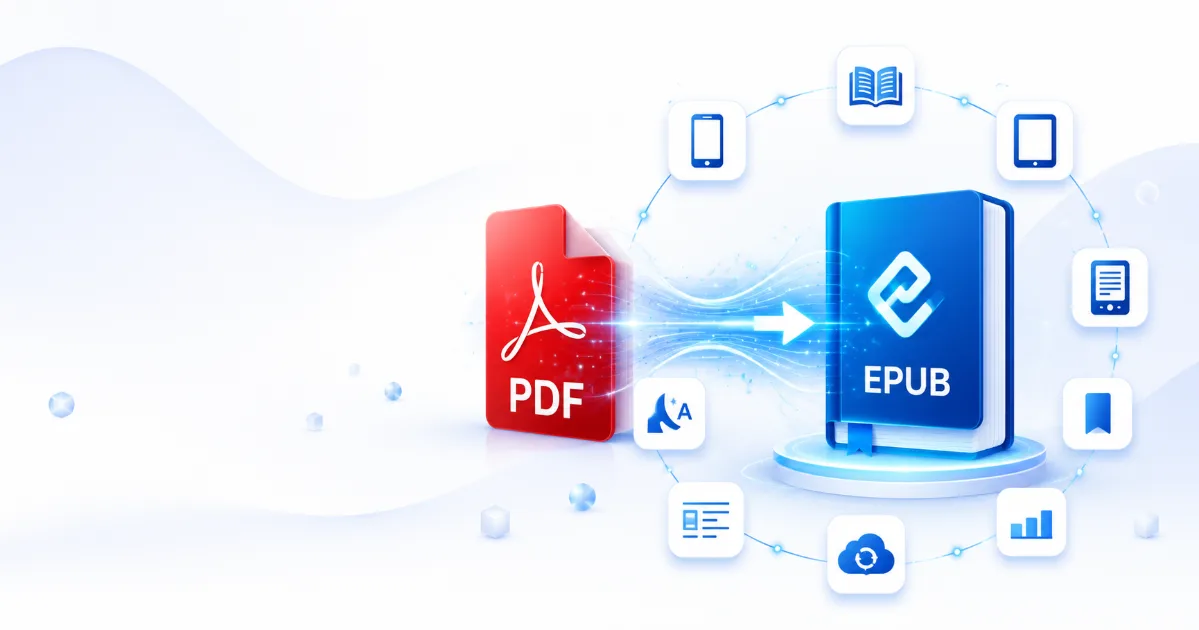
Digital books have transformed the way people read, learn, and share information. While PDFs remain one of the most common document formats, they are not always ideal for reading on smartphones, tablets, or eReaders. That's where EPUB comes in.
EPUB is the industry-standard ebook format designed specifically for digital reading. Converting a PDF to EPUB makes your content more flexible, easier to read, and better suited for modern devices. Whether you're a student, author, professional, or casual reader, switching from PDF to EPUB can significantly improve your reading experience.
---
What Is an EPUB File?
EPUB (Electronic Publication) is an open ebook format developed by the International Digital Publishing Forum (IDPF) and now maintained by the World Wide Web Consortium (W3C).
Unlike PDF files, EPUB documents automatically adapt to different screen sizes. Instead of displaying a fixed page layout, EPUB reflows the text, making it comfortable to read on virtually any device.
This flexibility is why most ebook stores and digital libraries use EPUB as their preferred format.
---
PDF vs EPUB: What's the Difference?
Although both formats are widely used, they serve different purposes.
PDF files preserve the exact layout of the original document, making them ideal for:
- Contracts
- Reports
- Forms
- Manuals
- Invoices
- Printed documents
However, PDFs can be difficult to read on smaller screens because users often need to zoom in and scroll horizontally.
EPUB
EPUB files are optimized for digital reading and automatically adjust to your screen size.
This means readers can enjoy:
- Comfortable reading on phones
- Better readability on tablets
- Perfect compatibility with eReaders
- Adjustable font sizes
- Custom themes
- Night mode support
- Personalized reading experience
---
Why Convert PDF to EPUB?
Converting PDF to EPUB unlocks many advantages that improve both accessibility and usability.
1. Better Reading Experience
One of the biggest benefits of EPUB is reflowable text.
Instead of fixed pages, the content adapts naturally to the reader's device, eliminating the need to zoom or pan across the page.
Reading becomes smoother and far less tiring.
---
2. Adjustable Font Size
Readers can easily:
- Increase text size
- Reduce text size
- Change font styles
- Adjust line spacing
- Modify margins
This makes EPUB especially useful for users with visual impairments or anyone who prefers personalized reading settings.
---
3. Perfect for Mobile Devices
PDF documents often require constant zooming on smartphones.
EPUB automatically fits every screen size, making it much more convenient for:
- Android phones
- iPhones
- Tablets
- Kindle-compatible apps
- Kobo eReaders
- PocketBook devices
- Apple Books
---
4. Night Mode Support
Many ebook readers allow EPUB files to switch between:
- Light Mode
- Dark Mode
- Sepia Mode
Night mode reduces eye strain during long reading sessions, especially in low-light environments.
---
5. Smaller File Sizes
EPUB files are often significantly smaller than image-heavy PDFs.
Benefits include:
- Faster downloads
- Less storage usage
- Quicker cloud synchronization
- Easier email sharing
---
6. Improved Accessibility
Accessibility is one of EPUB's strongest features.
Modern EPUB readers support:
- Screen readers
- Voice narration
- Adjustable contrast
- Dyslexia-friendly fonts
- Keyboard navigation
These features make ebooks accessible to a wider audience.
---
7. Better Battery Life on eReaders
Since EPUB uses reflowable text instead of rendering every page like an image, many eReaders consume less power while displaying EPUB content.
This results in longer battery life during extended reading sessions.
---
Who Should Convert PDF to EPUB?
PDF to EPUB conversion is ideal for:
Students
Convert lecture notes and textbooks into easier-to-read ebooks.
Researchers
Read lengthy academic papers comfortably on tablets.
Professionals
Take reports, manuals, and documentation on the go.
Authors
Review manuscripts in ebook format before publishing.
Book Lovers
Enjoy novels and nonfiction with adjustable text and personalized reading settings.
---
Common Uses of EPUB
EPUB is widely used for:
- Digital books
- Novels
- Textbooks
- Educational materials
- Technical documentation
- Study guides
- User manuals
- Research publications
- Company training materials
---
How PDF to EPUB Conversion Works
A PDF to EPUB converter analyzes the original document and extracts:
- Text
- Headings
- Images
- Lists
- Basic formatting
It then rebuilds the content into a responsive EPUB structure that adapts to different screen sizes while maintaining readability.
Modern converters can preserve much of the original layout, though highly complex PDFs may require minor adjustments after conversion.
---
Tips for Better Conversion Results
To achieve the best EPUB output:
- Start with a high-quality PDF.
- Ensure the document contains selectable text rather than scanned images.
- Use clear headings and structured formatting.
- Remove unnecessary blank pages.
- Optimize large images before conversion.
These steps improve both formatting accuracy and overall reading quality.
---
Frequently Asked Questions
Does converting PDF to EPUB change the original PDF?
No. The conversion process creates a new EPUB file while leaving the original PDF untouched.
---
Can scanned PDFs be converted?
Yes, but scanned documents usually require Optical Character Recognition (OCR) before the text can become fully editable and reflowable.
---
Which devices support EPUB?
EPUB is supported by most major reading platforms, including Apple Books, Google Play Books, Kobo, PocketBook, and many Android and iOS reading apps. Some Kindle devices require conversion to Kindle-compatible formats or support through compatible applications.
---
Is EPUB better than PDF?
It depends on your needs.
If preserving the exact page layout is important, PDF is the better choice.
If comfortable reading on digital devices is your priority, EPUB offers a far superior experience.
---
Final Thoughts
PDF files are excellent for preserving document layouts, but they are not always the most comfortable format for digital reading. EPUB was specifically designed to make ebooks flexible, accessible, and enjoyable across all screen sizes.
By converting PDF to EPUB, readers gain adjustable text, improved readability, better accessibility, smaller file sizes, and enhanced compatibility with modern eReaders and mobile devices.
Whether you're studying, reading novels, reviewing business documents, or building a digital library, EPUB provides a smoother and more enjoyable reading experience than traditional PDF files on most portable devices.